Manage content requests
PlexSub can use Native requests or Seerr, Overseerr, or Jellyseerr. Choose the system that fits your installation and explain it clearly to members.
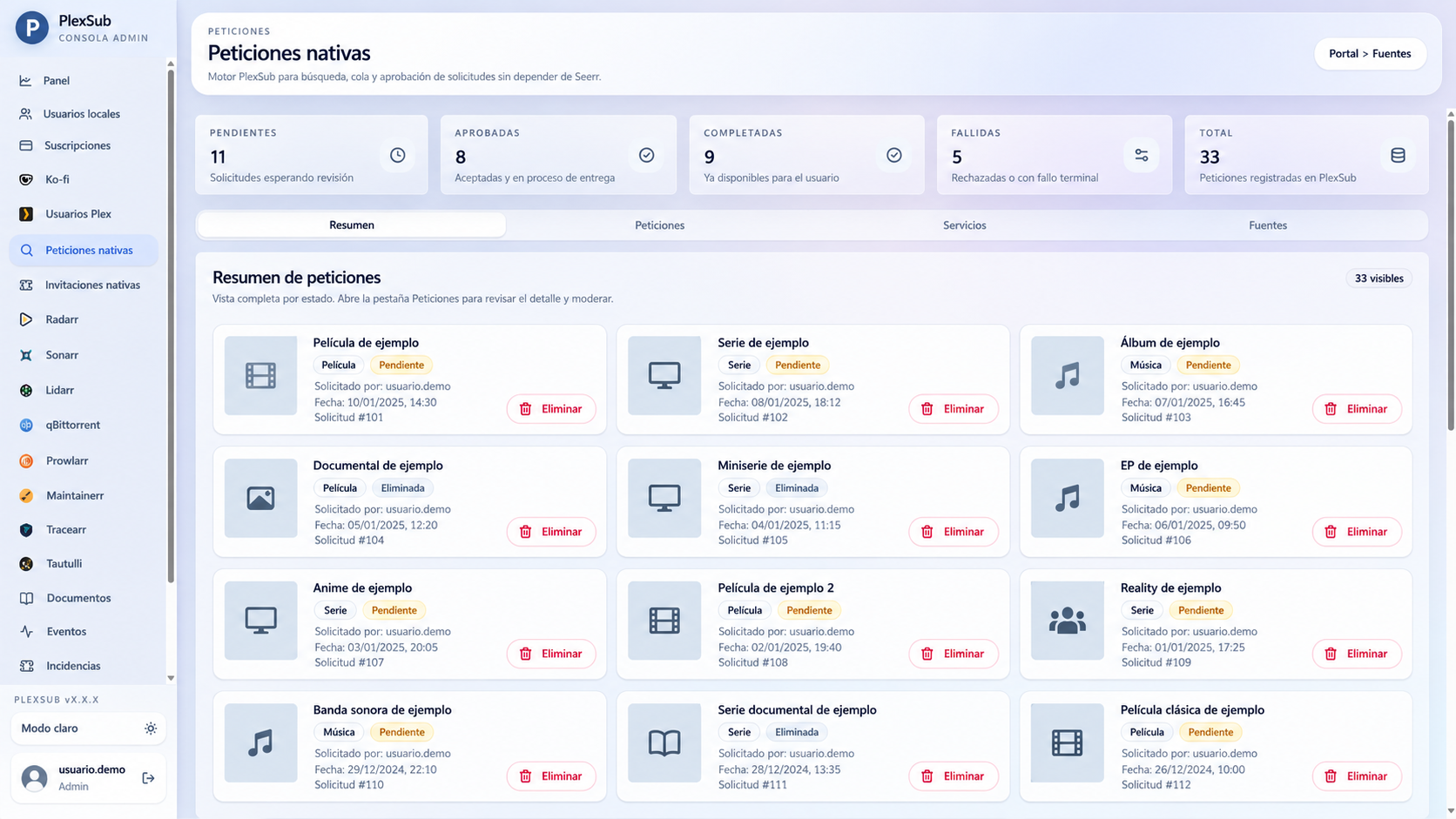
Choose one primary flow
- Use Native requests when you want requests managed in PlexSub.
- Use Seerr, Overseerr, or Jellyseerr when that is already your request entry point.
Avoid presenting both as equal ways for the same person to request the same content. It can create duplicate requests and confusion over where to check their status.
Test before opening it up
- Create a test account.
- Send a simple request.
- Confirm it appears in PlexSub.
- Verify the result in Seerr or the automation tool you use.
- Confirm what the member sees: pending, approved, available, or declined.
Clear community rules
Before inviting users, explain:
- What kind of content you accept.
- How many requests each person can make.
- How long review normally takes.
- What happens when a request is not approved.
- Where to ask for help when something goes wrong.
If a request does not progress
First check its status in the service that actually manages the request. Then check that PlexSub has the right URL and API key and that the service is active. Read the diagnostics guide before resending a request.